 English
  Arabic
  French
Table of Contents
To Add an Event: #
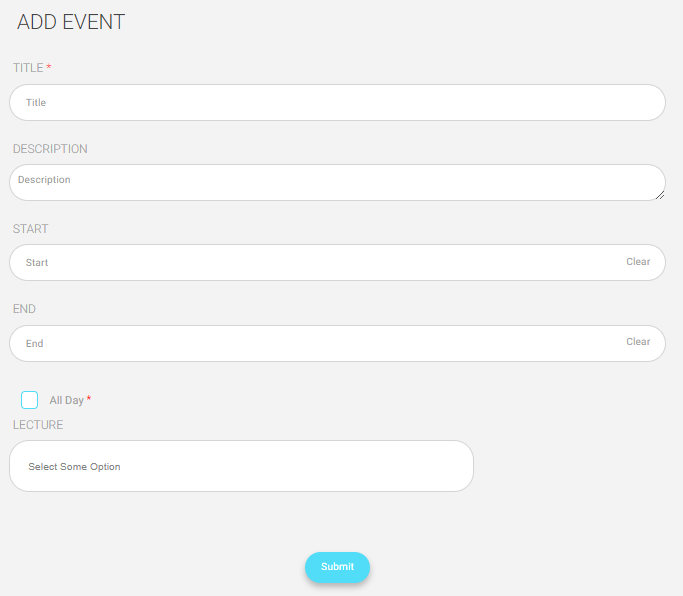
- Add a title for your event
- Write a description for this event.
- Set the start date for this event.
- Set the end date for this event.
- Click “All Day” if you want the event to include all the day instead of putting a start and an end time for it.
- Click “Submit” to save your event settings.